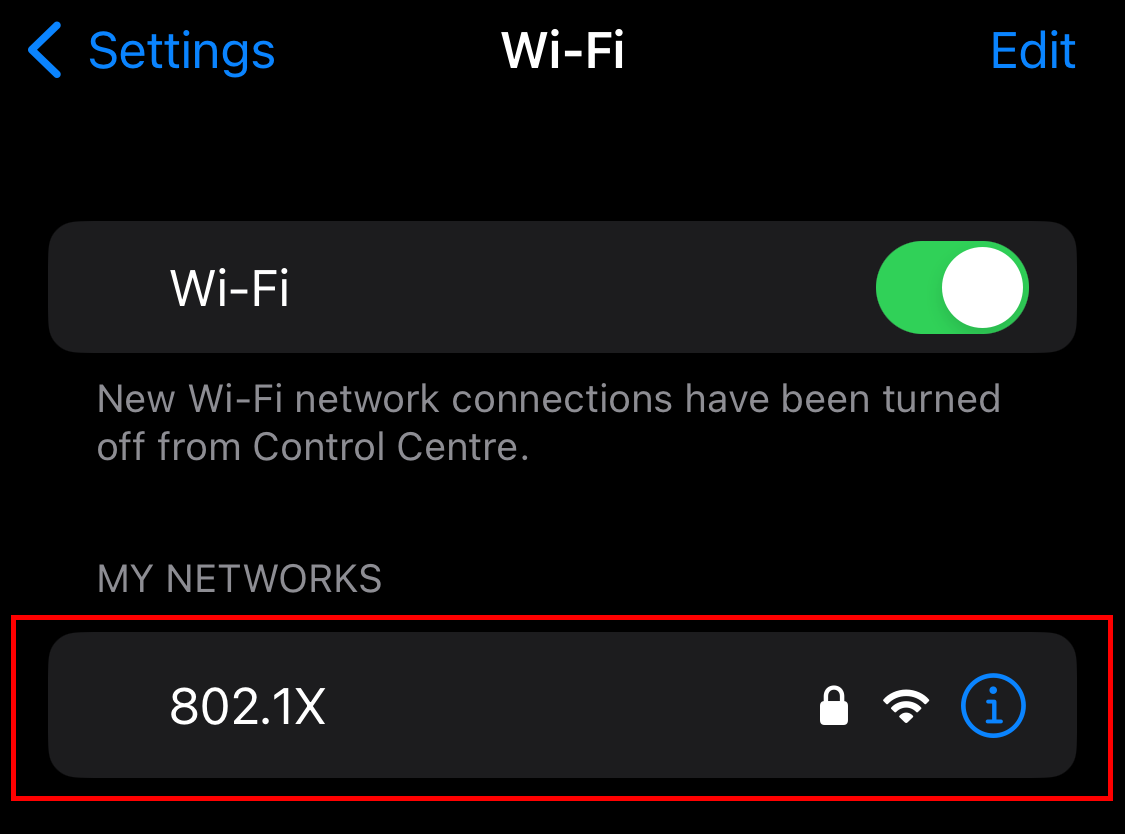
Open Settings → Wi-Fi
Tap the network (SSID) e.g. Company-WiFi
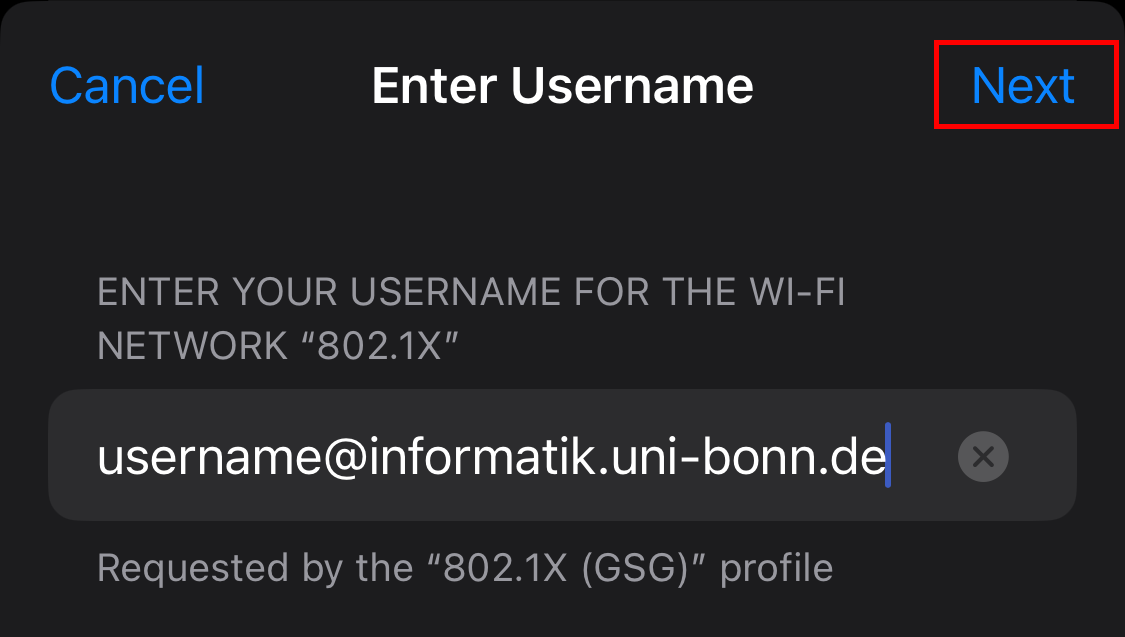
If prompted for credentials:
Username: enter your assigned username
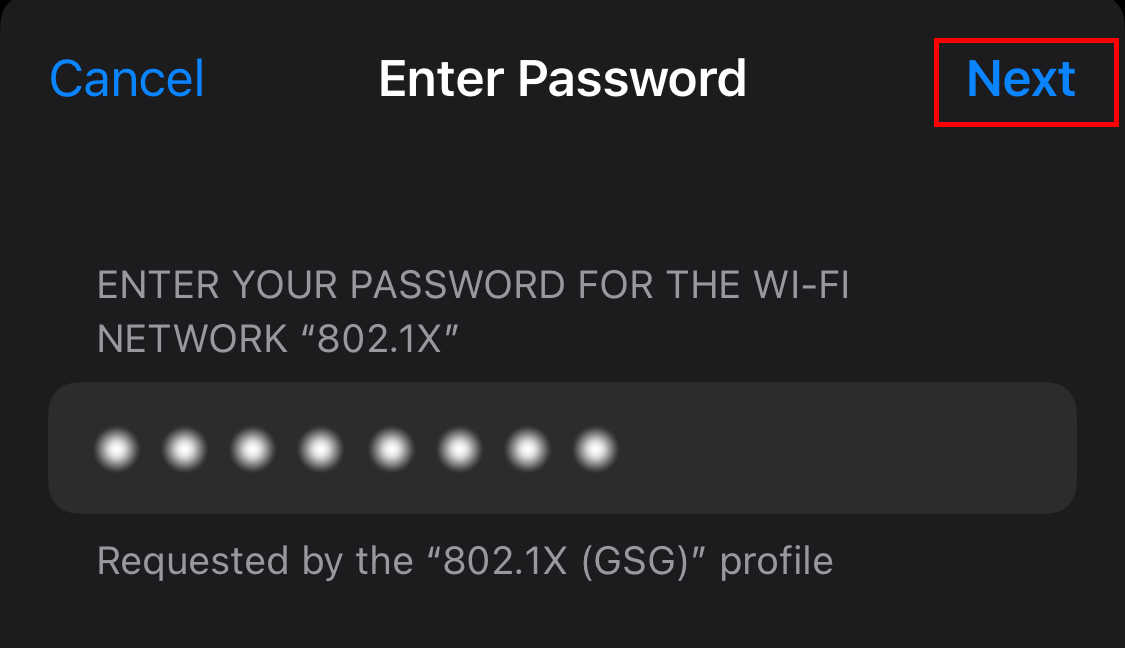
Password: enter your password
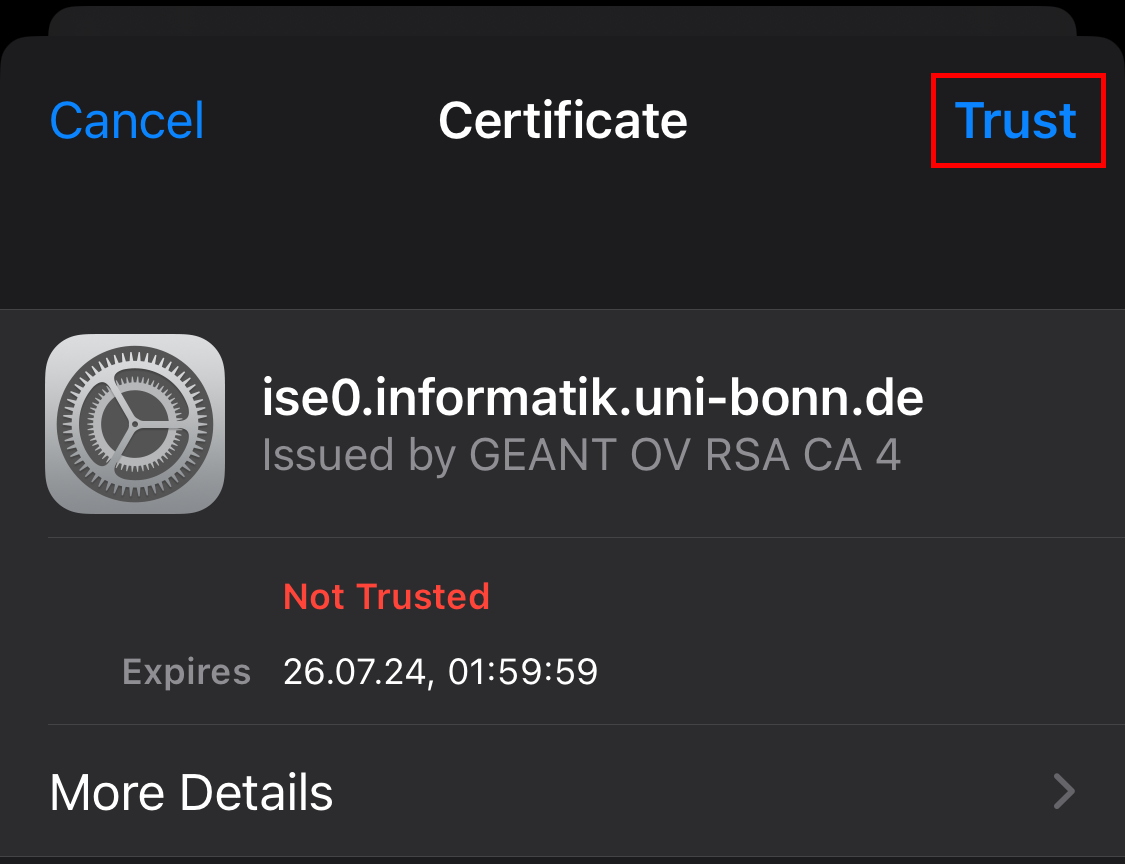
If you get a Certificate / Trust prompt:
Verify the certificate details match your organization (issuer / domain)
Tap Trust only if it’s correct
You will be connected to the Wifi then.
Was this article helpful?
That’s Great!
Thank you for your feedback
Sorry! We couldn't be helpful
Thank you for your feedback
Feedback sent
We appreciate your effort and will try to fix the article